Attendance
Face ID terminals and mobile check-in within the branch radius. Late arrivals and overtime are counted automatically.
Live
Shifts, check-ins, leave and payroll. HR sees everything in one place, employees see their schedule and payslip.
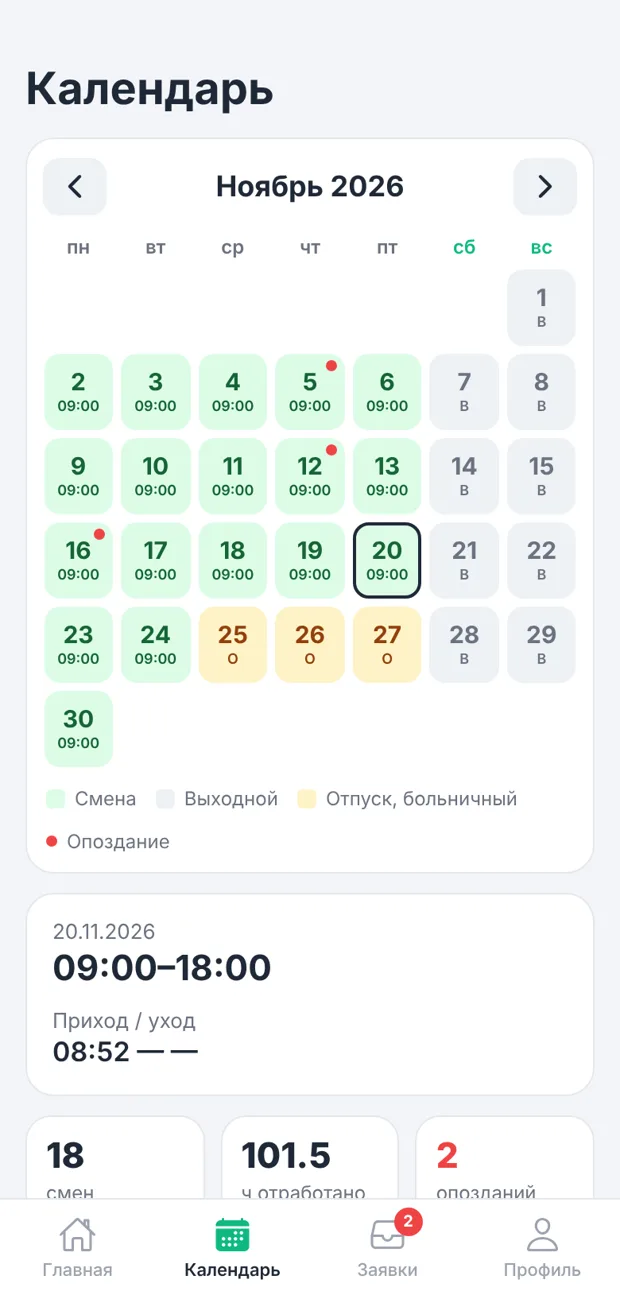
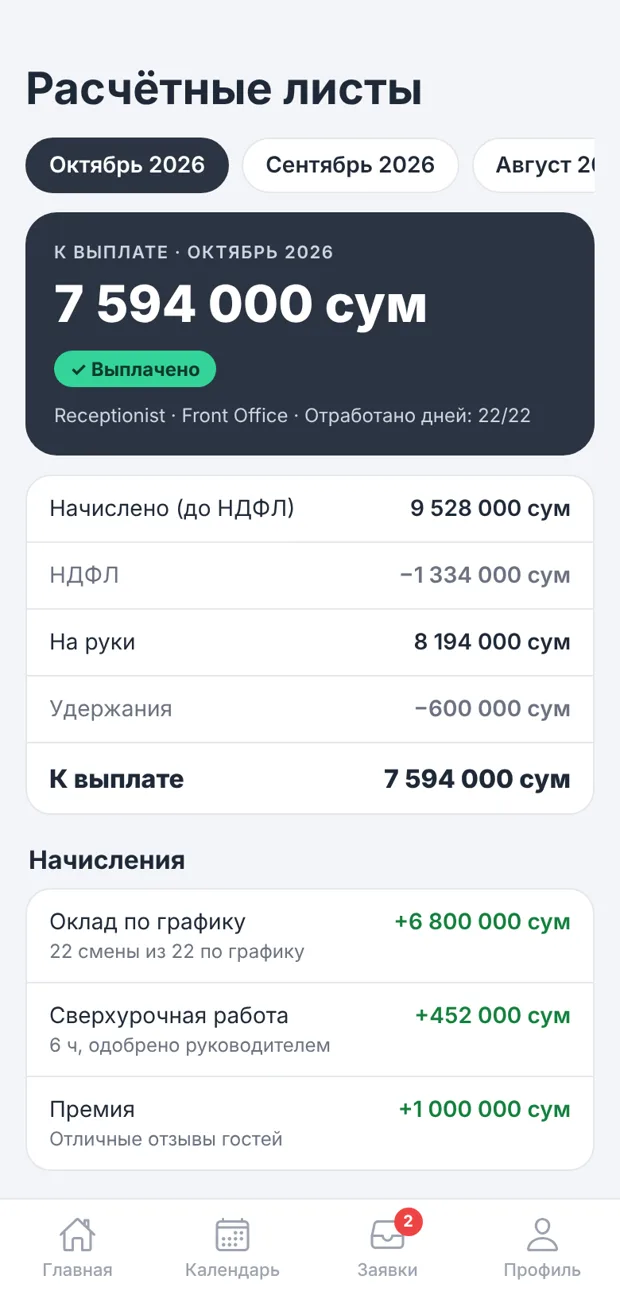
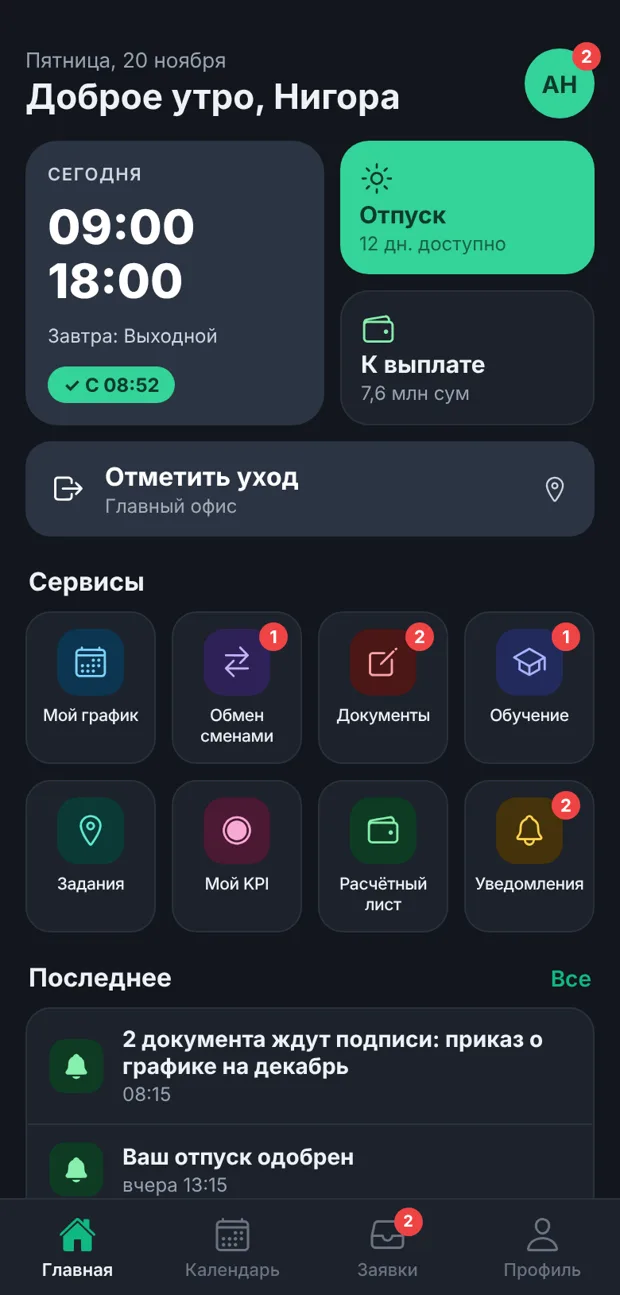
HR, managers and accounting work in one shared web system. Everyone sees only what they should.
Start with employees, schedules and time tracking. Add more modules as you grow.
Face ID terminals and mobile check-in within the branch radius. Late arrivals and overtime are counted automatically.
Build a team schedule in minutes. Employees swap shifts themselves — managers just confirm.
Request from a phone, approve in one tap, remaining days always at hand.
Calculated from the timesheet with bonuses, advances and deductions. Payslip right in the employee's phone.
Orders from templates, approval routes, acknowledgement and e-signature by employees.
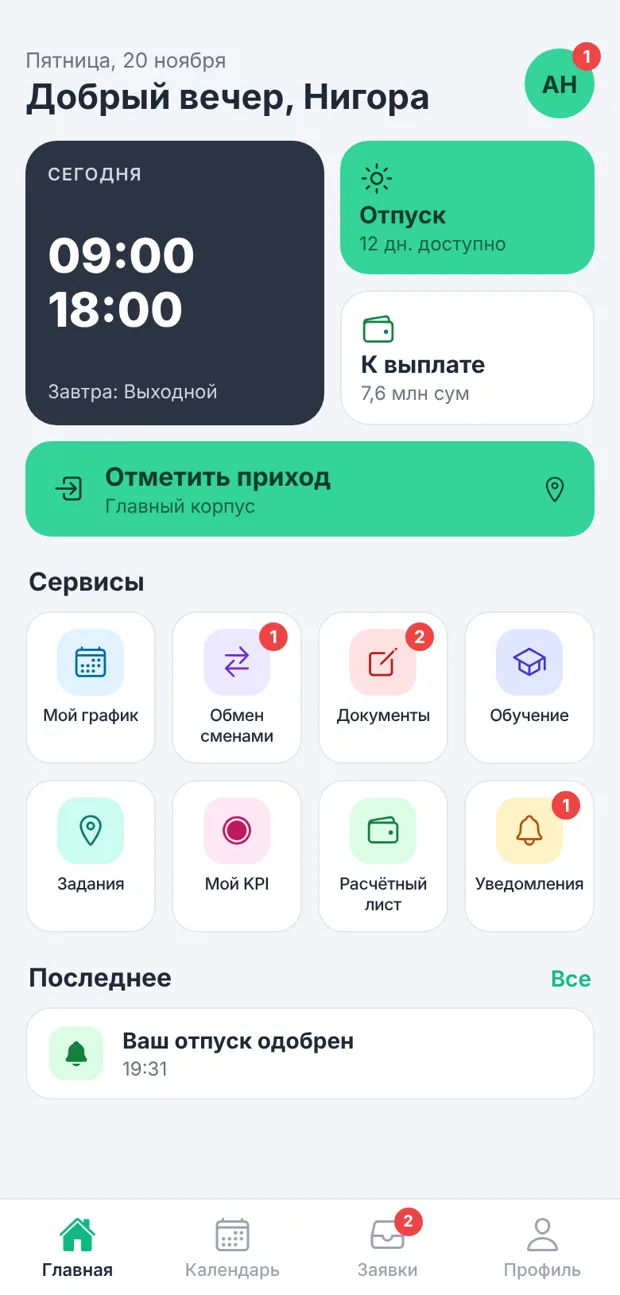
Not a website in a wrapper — a clear “My day” screen for every employee.
Today's and tomorrow's shift, leave balance, upcoming pay and every service with counters.
Check in and out within the branch radius. The server sets the time — location spoofing won't work.
A month colored by shifts, days off and leave. Arrivals, departures and late marks at a glance.
Gross, deductions and net pay — with a clear breakdown of every line.
Who's on shift, who's late, leave and swap requests — approve in one tap.
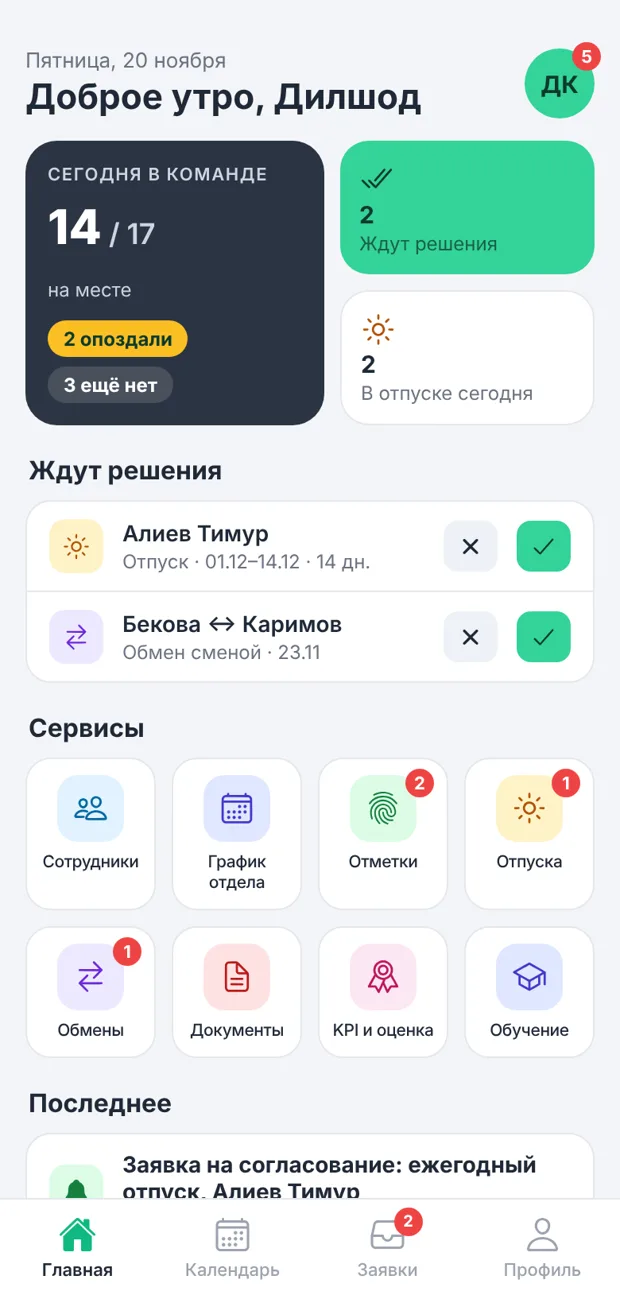
Push notifications without personal data on the lock screen, sign-in with Face ID or fingerprint.
Front desk, housekeeping and restaurant work around the clock. HrFamily brings every department into one schedule and timesheet.
Floor, kitchen and bar have different schedules and rates. Staff swap shifts themselves, managers just confirm.
Many stores, one system. See who showed up at each location, while sales KPIs are calculated automatically.
Duty rosters, certificates and medical records under control. The system reminds you before anything expires.
Shift work, terminal-based timesheets and safety training — no paper logs.
Leave, documents, reviews and training — without paper and endless emails.
We install the system on your server or in a cloud in Uzbekistan — in line with the personal data law.
We show the system on your use cases and answer questions.
We move employees and schedules from Excel — even messy files.
We connect Face ID terminals, modules, roles and document templates.
We train HR and managers, employees install the app.
The price depends on headcount and modules. We'll quote within one day — no hidden fees.
Core HR: employees, documents, schedules, leave, attendance, payroll, mobile app. No integrations or hiring module.
Everything in Business + KPI and performance management, training, document flow, AI hiring, mobile check-in.
For companies with 500+ employees and branch networks: dedicated server, integrations, personal support.
Didn't find an answer? Write to us — we reply within one business day.
On your server or in a cloud in Uzbekistan — whichever you prefer. Employee data never leaves the country. Backups are made daily.
No. Employees can check in from their phone using geolocation. If you already have Hikvision Face ID terminals, we'll connect them and arrivals go straight to the timesheet.
Yes. The web system and the app are fully available in Russian, Uzbek and English. Each employee picks their own language.
Usually about a week: demo, Excel import, setup and training. Multi-branch networks take longer — we'll agree on timing at the demo.
Yes. We'll import employees, schedules and leave balances from your spreadsheets — even if they're in different formats.
Enable only what you need and pay for that. Add more later when you need them.
Leave your contacts — we'll get in touch, run a demo and prepare a quote.